Included with Telescopo Markdown Studio: local Mermaid and ZenUML rendering is part of the full authoring workspace with the Markdown editor, instant preview, Insert tools, templates, Navigator, Live Monitoring, SVG saving, and PDF export.
Why Mermaid Belongs Inside Markdown
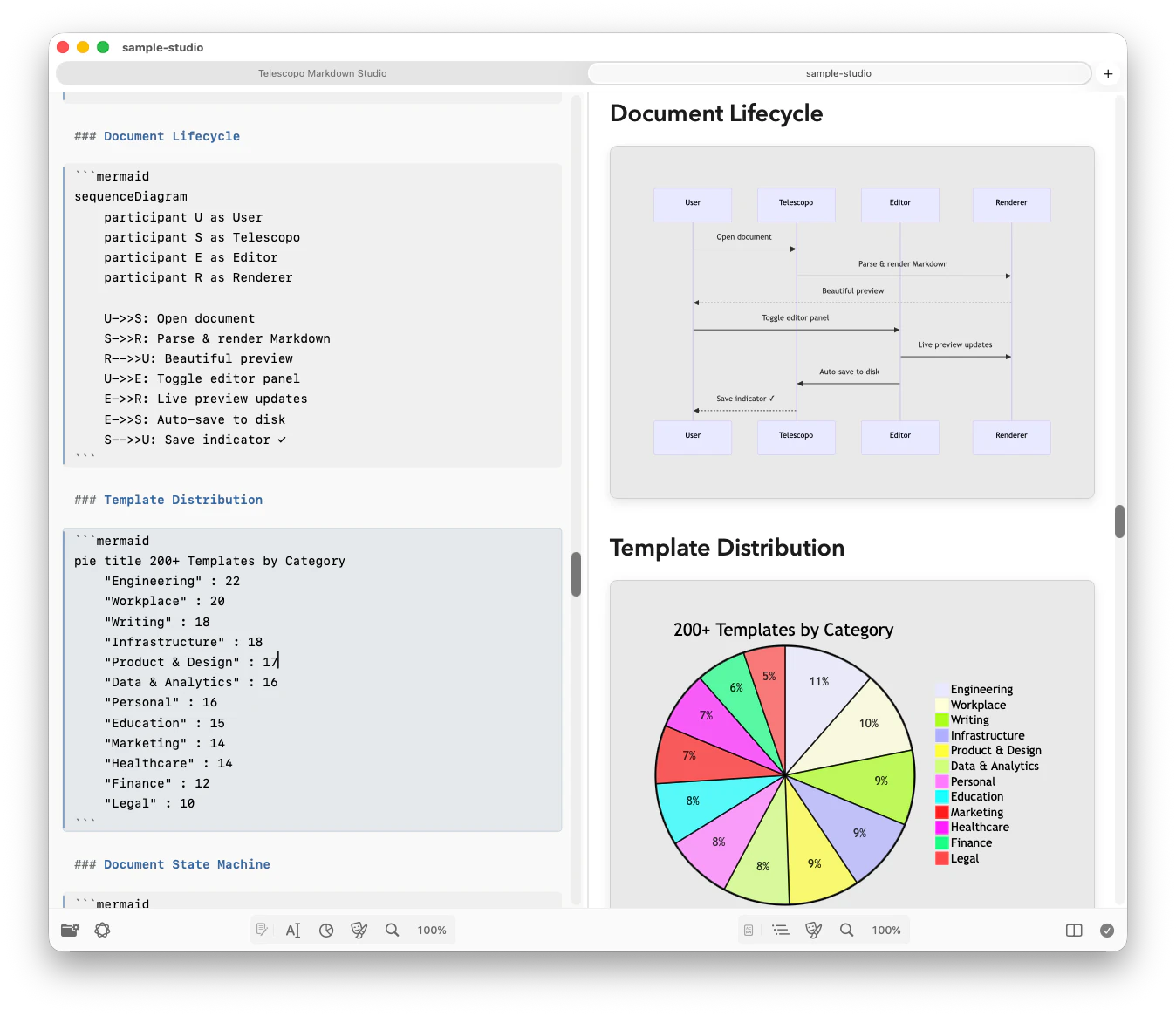
Mermaid defines diagrams as text that can live directly inside Markdown. Engineers and product managers author flowcharts, Gantt charts, sequence diagrams, and class diagrams as plain text, then rely on their toolchain to render them visually. The catch: most native macOS Markdown viewers ignore Mermaid entirely. They display the raw code block as monospaced text, which makes the document illegible to anyone who is not also the author.
A separate web renderer can solve the visual problem, but it breaks the reading flow and requires moving source between tools. Telescopo keeps the ordinary Markdown file, diagram source, rendered result, and export workflow in one local Mac workspace.
How Telescopo Handles Mermaid
Telescopo Markdown Studio parses your Markdown file locally and detects fenced code blocks tagged with mermaid. Each block is passed
to an embedded Mermaid rendering engine that produces a vector output, which is then composited into
the document view natively. The result is a crisp, scalable diagram sitting inline with
your prose, exactly where you placed the code block.
No internet. No browser tabs. No copying and pasting into a web renderer. Open the file, and the diagram is already there.
27 Mermaid Diagram Types
Telescopo covers familiar engineering diagrams and newer Mermaid formats in the same native workspace. The current capability set spans four practical groups:
Flow and interaction
Flowcharts, sequence diagrams, state diagrams, user journeys, and timelines.
Software and systems
Class, entity-relationship, requirement, and Git graphs, plus C4 context, container, component, dynamic, and deployment diagrams.
Planning and structure
Gantt charts, Kanban boards, event models, mindmaps, block diagrams, and Ishikawa cause-and-effect diagrams.
Data and specialized formats
Pie and donut charts, quadrant charts, packet diagrams, Sankey diagrams, treemaps, and XY charts.
From Architecture to Data Flow
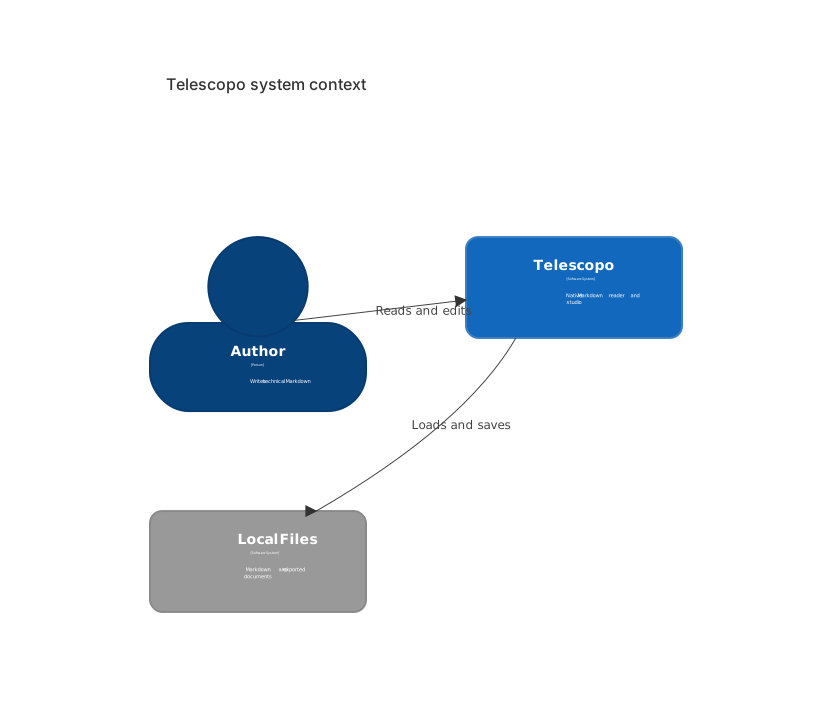
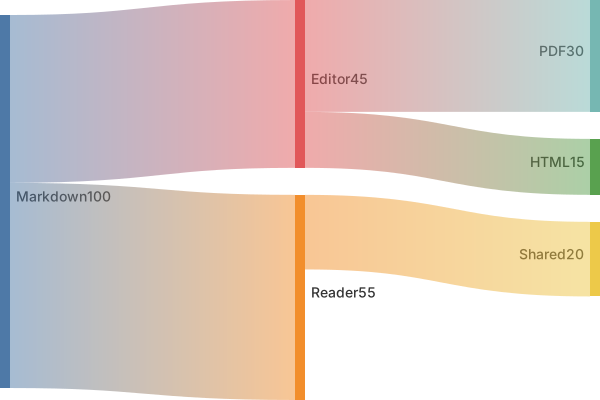
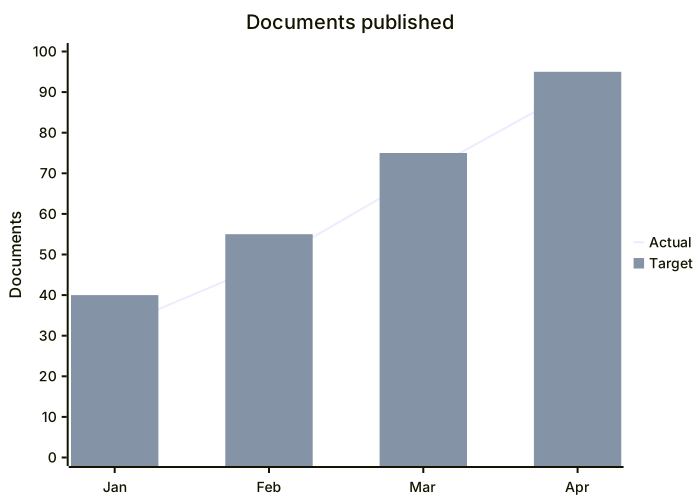
These examples are rendered from ordinary text definitions. They show the range available without sending diagram source to a hosted rendering service.


Two Ways to Write Sequence Diagrams
Standard Mermaid sequenceDiagram
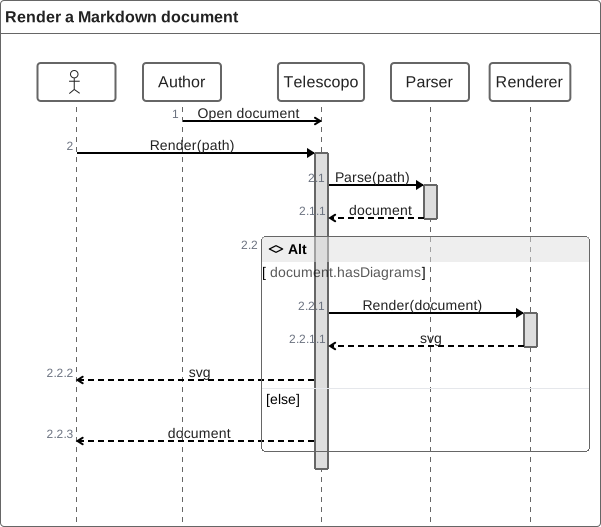
syntax is well suited to actor-and-message timelines. Telescopo also supports ZenUML for authors who
prefer sequence diagrams written like nested calls in code.
```zenuml
Author->Telescopo: Open document
Telescopo.Render(path) {
    document = Parser.Parse(path)
    if(document.hasDiagrams) {
        return Renderer.Render(document)
    }
}
```
ZenUML supports explicit and implicit participants, aliases and annotators, synchronous and asynchronous messages, creation and reply messages, nested interactions, comments, loops, alternatives, optional and parallel fragments, and try/catch/finally flows.
Write Source and Inspect the Result
In Editor or Split view, insert a Mermaid block from the diagram tools or write a fenced block
directly. Telescopo recognizes mermaid
and zenuml fences, plus
Azure-style ::: mermaid
blocks. Split view keeps the source and rendered document visible together.
Download the Telescopo Mermaid capability sample to inspect real diagram source. Mermaid's official syntax reference documents the upstream language, while Telescopo's list reflects the options registered in the current app.
Current renderer details: Telescopo's verified capability set is based on Mermaid 11.17.2 and ZenUML 0.2.3. Standard tidy-tree layout is included. Optional ELK layout and experimental-only declarations are not part of the supported set described on this page.
Save Diagrams as Standalone SVG Files
Save any rendered Mermaid or ZenUML diagram as a standalone SVG directly from the preview. The vector output stays crisp at any size, making it useful for technical documentation, presentations, design handoffs, and reuse outside the original Markdown file.
Right-click the rendered diagram and choose Save as SVG, then select a destination on your Mac. The Markdown source remains unchanged while Telescopo saves the rendered diagram as a separate vector file.
Offline Privacy for Confidential Documents
Architecture documents, sprint plans, and system design specs often contain information that should not touch an external rendering service. Telescopo processes Mermaid source locally; document contents, filenames, and paths are not sent through product analytics, and diagram source is not uploaded to a third-party renderer.
Diagram rendering therefore continues without an internet connection. As with any confidential workflow, users should separately evaluate where the underlying file is stored or synchronized.
Exporting Diagrams to PDF
Sharing a document containing Mermaid diagrams with a stakeholder who does not have a Markdown viewer is a common friction point. Telescopo Markdown Studio solves this with polished PDF export. The exported PDF preserves rendered diagrams, maintains your selected theme colors, and supports portrait or landscape orientation to prevent wide flowcharts from being cropped at the right margin.
The result is a polished, readable PDF that preserves the rendered diagram and selected document styling without manual screenshotting or copy-pasting.
Related: Exporting Complex Markdown with Mermaid and LaTeX to Landscape PDF. Full details on theme-aware landscape PDF export.
Telescopo Navigator in Long Design Documents
System design documents often combine prose, code snippets, and multiple Mermaid diagrams across dozens of sections. Telescopo Navigator automatically parses every heading in your Markdown file and builds a clickable outline in the sidebar. Left and right arrow shortcuts make it quick to jump between dynamic sections without scrolling through the entire document.
Related: Telescopo Navigator for Large Markdown Files. How Navigator works in detail.
Who Benefits Most
- Backend engineers reviewing architecture decision records (ADRs) that contain sequence and component diagrams.
- Product managers sharing sprint Gantt charts and dependency flowcharts with their teams as readable Markdown exports.
- Technical writers assembling API documentation that embeds state and sequence diagrams inline with explanatory text.
- Developers on restricted networks who cannot rely on GitHub's web renderer or any cloud-based Markdown preview tool.
Frequently Asked Questions
Can Telescopo render Mermaid diagrams inside Markdown files on Mac?
Yes. Telescopo Markdown Studio parses Mermaid code blocks embedded in Markdown and renders them directly in the preview pane, with no internet connection required.
What types of Mermaid diagrams does Telescopo support?
Telescopo renders 27 Mermaid types: flowchart, sequence, state, journey, timeline, class, entity relationship, requirement, Git graph, Gantt, Kanban, event modeling, mindmap, block, Ishikawa, packet, Sankey, treemap, XY, pie, donut, quadrant, and five C4 views.
Does Telescopo support ZenUML sequence diagrams?
Yes. Put ZenUML source in a dedicated
zenuml fence. Telescopo renders participants, messages, nested calls, loops,
branches, parallel fragments, and error-handling flows beside the rest of the document.
Can I save Mermaid and ZenUML diagrams as SVG files?
Yes. Right-click a rendered Mermaid or ZenUML diagram and choose Save as SVG to create a standalone vector file without changing the Markdown source.
Does Telescopo require an internet connection to render Mermaid in Markdown?
No. All Mermaid rendering happens on-device using Telescopo's local rendering engine. No data is sent to any server.
Can I export a Markdown file with Mermaid diagrams to PDF?
Yes. Telescopo Markdown Studio exports rendered Markdown, including embedded Mermaid diagrams, to a theme-aware PDF with portrait and landscape options.