Included in Telescopo Markdown Studio: open code and syntax files quickly with theme-aware highlighting, search, zoom, width adjustment, accessible global font choices, and the complete theme library.
The Hidden Cost of Opening an IDE Just to Read Code
Every developer has been there: you need to quickly read through a Python script, a Swift module, or a Rust crate someone sent you. The instinct is to open Xcode or VS Code, but then you wait for the workspace to load, the language server to index, extensions to initialize, and the splash screen to clear. By the time the file is visible, you have lost context and momentum.
Telescopo Markdown Studio is built for this exact scenario. It opens source and syntax files quickly, applies highlighting immediately, and gets out of your way. The same workspace includes editing, templates, export, Navigator, AI Assistant, and the full theme library.
Rich Syntax Highlighting
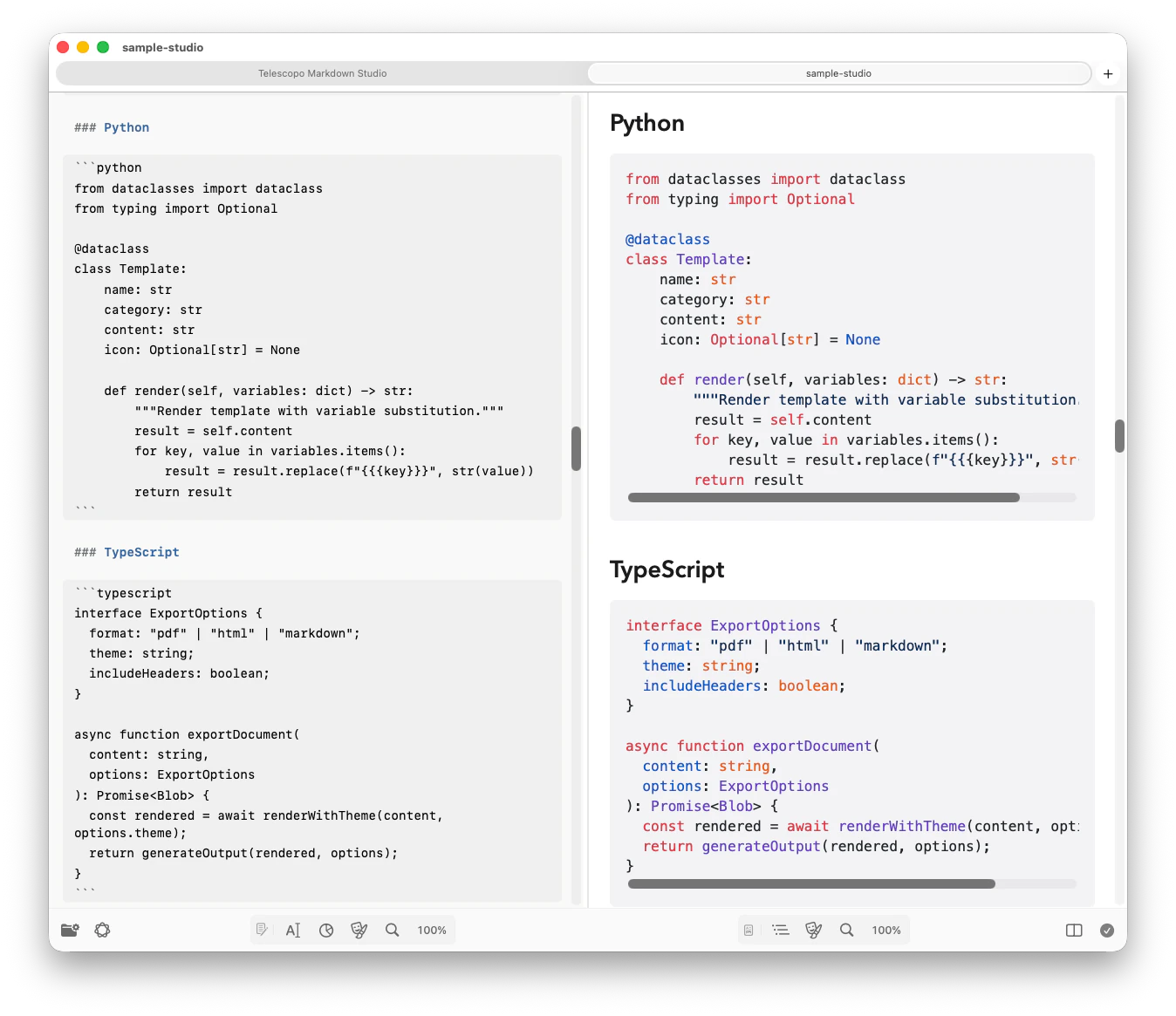
Telescopo's syntax highlighting makes it easy to read and understand code. Language detection is automatic: Telescopo reads the file extension and applies the correct grammar without you selecting anything from a dropdown. The highlighting covers keywords, strings, comments, types, operators, and language-specific constructs for every supported language.
The Full List of Supported Languages
Telescopo Markdown Studio renders syntax highlighting for all of the following language families and file types:
Web and Styling
HTML, XML, CSS, SCSS, Less, JavaScript, TypeScript, WebAssembly
System and Native
C, C++, C#, Objective-C, Swift, Rust, Go, D, Assembly (ARM and x86)
Scripting and Backend
Python, Ruby, PHP, Perl, Lua, Bash, Shell, PowerShell, Awk
JVM Ecosystem
Java, Kotlin, Scala, Groovy, Clojure
Data and Configuration
JSON, YAML, TOML, INI, CSV, SQL, GraphQL, Dockerfile, Makefile
Functional and Academic
Haskell, Erlang, Elixir, F#, OCaml, R, Julia, MATLAB, Fortran
Other Notable Formats
Dart, Delphi, Diff, Gherkin, Nginx, Apache config, Markdown, VBScript
Theme-Aware Highlighting: 30 Visual Styles
Standard code viewers apply syntax colors without regard for the overall document theme. If the background is dark, light-scheme token colors can become illegible. Telescopo Markdown Studio includes 30 fully integrated themes, each with a purpose-built token color palette that coordinates the background, foreground text, and syntax highlighting into a coherent visual system.
Telescopo Markdown Studio includes 30 themes, including five animated themes that feature hardware-accelerated visual effects. Explore the complete library during the 7-day trial.
Clean & Minimal
Light, Dark, Paper, Contrast Light, and Contrast Dark give code and Markdown clear palettes for focused reading and accessibility.
Warm & Natural
Parchment, Lamplight ✦, Sunset, Dawn, Mocha - warm sepia and amber tones for comfortable long reading sessions. Lamplight features an animated warm glow effect.
Developer Classics
Nord, Monokai, Darkula, Tokyo Night, Rosé Pine, Solar Light, Solar Dark, Retro Light, Retro Dark, Latte, Everforest. Beloved palettes from the editor ecosystem, faithfully adapted with Telescopo's own token refinements.
Dark & Atmospheric
Midnight, Warm Dusk, Ocean, Ink, Cobalt. Deep backgrounds tuned for low-light environments with carefully balanced token contrast.
Animated Themes ✦
Cyberpunk, Bad Command, Cyberspace, Aurora, Lamplight. Hardware-accelerated animated backgrounds with scanlines, star warps, aurora drifts, and terminal flicker effects. Syntax token colors are specially tuned for readability on animated backgrounds.
Related: Dark Mode and Custom Themes for Reading Code and Markdown on Mac. Deep dive into how each theme coordinates syntax colors.
Dynamic Width for Wide Code Files
Long lines of code that wrap awkwardly are one of the most common readability problems in code viewers. Telescopo addresses this with reading width adjustment, letting you expand the content area to use the full screen width or contract it to a comfortable column measure without reloading the file. Global font selection is available across Telescopo, including accessible fonts installed on your Mac.
Frequently Asked Questions
What programming languages does Telescopo support for syntax highlighting?
Telescopo supports over 70 programming languages including Python, Swift, Rust, Go, TypeScript, JavaScript, C, C++, C#, Java, Kotlin, Ruby, PHP, Bash, SQL, HTML, CSS, YAML, JSON, Dockerfile, and many more.
Can I view code files on Mac without opening Xcode or VS Code?
Yes. Telescopo opens in under a second and renders any source file with syntax highlighting. It is designed for reading and inspecting code, not editing, so there is no project setup or configuration required.
Does Telescopo apply themes to syntax highlighting?
Yes. Telescopo Markdown Studio includes 30 visual themes, including Contrast Light, Contrast Dark, and animated themes with matched syntax palettes. The complete library is available during the 7-day trial and with active access.